Event Payment to NEOOC: Apple Pay, Venmo, PayPal, …
Use this link or QR code to make a one-time Event Payment to NEOOC using Apple Pay, Venmo, PayPal, Pay Later, Credit Cards or Debit Cards. On desktop computers, if the Apple Pay Button does not appear, use the “See More Options v” pull down.
This link or QR code will take to the PayPal website. Please fill in the amount of the payment and enter “Event Start Fee” for the purpose in the field provided (or enter another purpose as suggested by the NEOOC volunteer such as “NRE Event Tent Camping Fee” or “NRE Lunch Payment”)
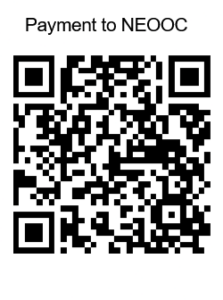
Note: This link can be used for other General Payments to NEOOC also. Please fill in the Purpose field so we know how to direct this payment.